Last Updated on 01/09/2026 by KLB Editorial Team
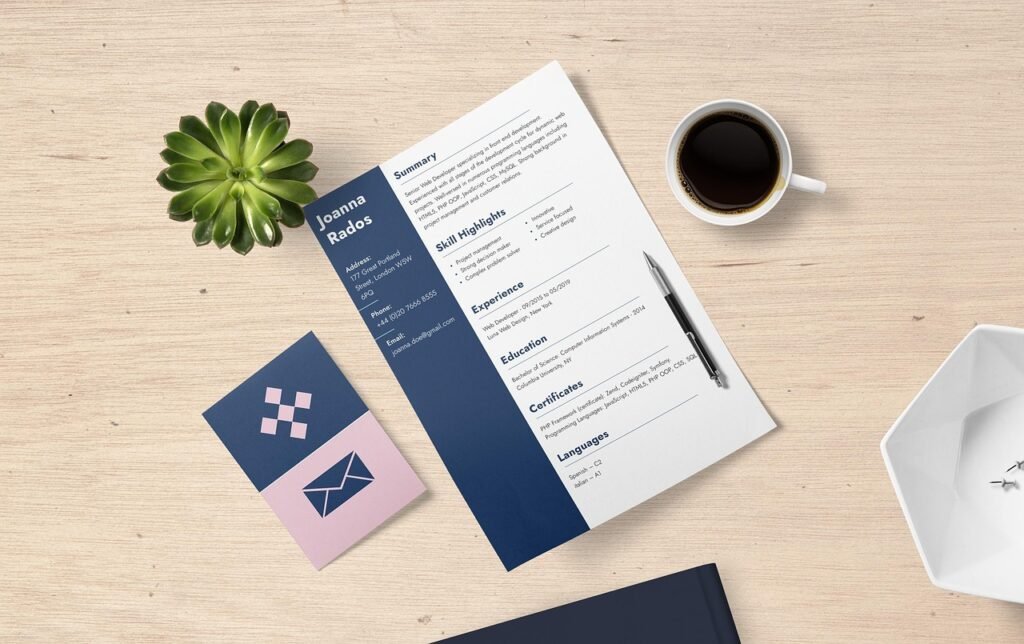
Creating a professional CV doesn’t have to be difficult. There are now hundreds of online CV builders, free resume templates and AI-powered resume tools available to job seekers. You can create a CV from scratch in Microsoft Word, use a free Canva template, build one with a free online resume builder or pay for a platform that provides guidance, ATS optimisation and job-specific tailoring.
Table of Contents
So which option is actually worth using?
The answer depends on what you need.
If you struggle with what to write, need to tailor your CV for different jobs, want to check how well it matches an ATS, or would like AI to help optimise your resume, a paid CV platform can save you considerably more time.
In this guide, we’ll look at:
- The best free CV builders and resume templates
- The best paid online CV builders
- AI-powered CV and resume optimisation tools
- Microsoft Word and Canva templates
- Whether paid CV builders are actually worth the money
- Which CV tool is best for different types of job seekers
Can You Build a CV for Free?
Yes. If you’re comfortable creating your own CV, you can use Microsoft Word or Google Docs, and Canva also offers free resume templates.
However, a free template generally gives you a design, not the specialised tools that can help analyse, optimise and tailor your CV for individual jobs. Canva’s more design-heavy templates can also be less suitable for ATS screening, depending on how they’re structured.
If you simply need a clean CV and know exactly what you’re doing, a free template may be all you need.
But if you want AI-powered writing assistance, ATS analysis, job-specific optimisation, professional guidance or other career tools, that’s where a specialist CV builder can be worth paying for.
Best AI-Powered CV Builders
Free tools are perfectly adequate for many people. But if you’re applying for a lot of jobs, struggling with your CV wording or trying to tailor your resume to different positions, AI-powered CV tools can save you a significant amount of time.
These are the platforms I’d look at if you want more than a template.
1. GotResumeBuilder: Best Budget ATS-Focused Option
GotResumeBuilder is particularly interesting because it combines a free online resume builder with free job-specific ATS keyword checking.
You can create and manage multiple resumes, choose from customisable templates, organise your sections and download your resume in PDF, Word, HTML or text formats.
But one of its most useful free features is the ATS Resume Checker.
Check Your CV Against a Real Job Description
You can paste your CV and a job description into GotResumeBuilder’s free ATS checker and receive a keyword-match score.
It shows:
- Your keyword match score
- Keywords already found in your CV
- Important keywords missing from your CV
- Where your CV may need better alignment
The basic keyword analysis is available without signing up.
That makes GotResumeBuilder a particularly useful option if you don’t want to pay for a resume service but still want to check whether your CV is reasonably aligned with a particular job.
What About the Paid Features?
The free version gets you started, while premium features add AI recommendations, one-click tailoring, multiple resume variants and matching letters.
Best For
Job seekers who want to build a CV for free and check how well it matches individual job descriptions.
2. Careerflow: Best AI CV Optimisation Toolkit
Careerflow is considerably more than a traditional CV builder.
It’s an AI-powered career toolkit that can help you create, analyse and tailor your resume while also providing tools for LinkedIn optimisation, job tracking, cover letters and interview preparation.
What Makes Careerflow Different?
You can upload an existing resume or import your LinkedIn profile rather than starting from a blank page.
Careerflow can then analyse your CV and compare it with a specific job description.
Its AI tools can help identify:
- Missing keywords
- Relevant skills
- Job-title alignment
- Resume formatting issues
- Weak or unclear bullet points
- Areas where your CV could better match the position
Its One-Click Resume Optimizer can then suggest targeted changes based on the job description. You remain in control of which suggestions you accept rather than simply allowing AI to rewrite everything blindly.
Careerflow Includes More Than a Resume Builder
Depending on the plan, Careerflow also offers:
- AI Resume Builder
- ATS Score Checker
- Resume Keyword Analyzer
- AI bullet-point writer
- Resume summary writer
- Job-specific resume optimisation
- ATS-friendly templates
- AI Cover Letter Writer
- LinkedIn Profile Optimizer
- Job Application Tracker
- Networking Tracker
- Interview preparation and mock interviews
- Browser extension for job searching and application management
That makes it much more than a tool for making your CV look pretty.
It’s designed to help with the entire process surrounding your CV and job search.
Is Careerflow Free?
Careerflow currently offers a free starting plan, including a resume builder, basic resume analysis and other limited career tools. Premium plans unlock more advanced AI resume, ATS, LinkedIn and job-search features.
Best For
Job seekers who want AI to help optimise their CV for specific jobs rather than simply choosing a template.
If you’re applying for multiple positions and need to create targeted versions of your resume, Careerflow is one of the more comprehensive options on this list.
3. Zety: Best for Guided CV Creation
Zety is designed for job seekers who want step-by-step help creating a CV rather than staring at a blank Word document wondering what to write.
Its guided builder provides templates, content suggestions and tools for creating matching cover letters.
Key Features
- Guided CV builder
- Professional templates
- Content suggestions
- Job-specific wording
- Cover letter builder
- ATS-friendly templates
- Multiple download formats
Why Pay for Zety?
The main value isn’t the template itself.
It’s the guidance.
If you’re unsure how to describe your experience, structure your CV or phrase your achievements, having suggested content and a guided process can save a lot of time.
Best For
Beginners and job seekers who want structured help creating a professional CV.
4. LiveCareer: Best for CV Writing Assistance
LiveCareer is another guided CV platform aimed at people who want help with both the structure and wording of their resume.
It offers professional templates, guided creation, pre-written content suggestions and a cover letter builder.
Key Features
- Step-by-step CV builder
- Professional templates
- Pre-written job-specific phrases
- Writing assistance
- Cover letter builder
- ATS-friendly templates
- Multiple CV formats
- Cloud storage for your CVs
Why Pay for LiveCareer?
If your biggest problem is “I don’t know what to write”, LiveCareer can be more useful than a simple free template.
Instead of spending hours trying to turn your responsibilities into strong CV bullet points, you can start with professionally written examples and adapt them to your actual experience.
Best For
Job seekers who need help with CV wording and want to create a professional resume quickly.
5. VisualCV: Best for Multiple CV Versions & Presentation
VisualCV is particularly useful if you want more control over your CV’s presentation or need different versions for different types of jobs.
It offers modern templates, multiple CV versions, online sharing and analytics.
Key Features
- Professional CV templates
- Multiple CV versions
- Online CV sharing
- CV view and download analytics
- Skills suggestions
- Cover letter resources
- International CV guidance
- LinkedIn resume tools
Why Pay for VisualCV?
VisualCV makes more sense for people who want to manage and present multiple versions of their CV, particularly when applying across different industries, countries or types of roles.
Best For
Professionals, creatives and international job seekers who want more control over CV presentation and multiple versions.
Online CV Builders Comparison
| Feature | Zety | LiveCareer | GotResumeBuilder | Careerflow | VisualCV |
| Best For | Guided step-by-step writing | Quick templates & basic edits | Budget-conscious & basic downloads | Modern job hunting & AI tracking | Creative roles & online portfolios |
| Free Tier | Free to build; paid downloads | Free to build; TXT download only | 100% Free (up to 5 resumes/PDF downloads) | Generous free tier with Chrome extension | Free plan includes 1 resume & basic web link |
| Pricing Model | ~$2.70 trial, then ~$24.70/mo | ~$2.95 trial, then ~$23.95/mo | Free tier; optional upgrades ($9.99–$14.99) | Free; Pro starts at ~$20/mo | Free; Pro starts at $16–$24/mo |
| AI Content & Optimization | Content prompts & tips | Pre-written phrases & tips | Basic resume scoring | Advanced AI (LinkedIn & resume tailoring) | Basic AI text assistant |
| Templates & Customization | Highly customizable, polished designs | Clean, traditional, professional | Simple, straightforward, functional | Modern, ATS-friendly layouts | 30+ sleek, customizable & media-friendly |
| ATS Compliance | High | High | High | High | High |
| Extra Features | Cover letter builder, expert advice | Cover letter builder, ATS checker | AI interview practice, MatchMap™ | Job tracker, Chrome extension, LinkedIn score | Portfolio website, view analytics, performance stats |
Which One Do You Choose?
Choose Zety or LiveCareer if you want step-by-step guidance and pre-written phrases to complete a polished resume quickly (watch out for the auto-renewing trial subscriptions).
Choose GotResumeBuilder if you want a straightforward tool that lets you build and download high-quality PDF resumes for free without hidden paywalls.
Choose Careerflow if you are actively applying for jobs and want an end-to-end toolkit (AI tailoring, LinkedIn profile optimizer, and application tracking).
Choose VisualCV if you are a creative professional, freelancer, or executive who wants a personal portfolio website and built-in view analytics.
Do You Really Need to Pay for a CV Builder?
If you’re comfortable writing your own CV, Microsoft Word and free Canva templates can be perfectly adequate, keeping in mind that the templates might not all be ATS-friendly. Tables, text boxes, headers/footers and complicated layouts can potentially cause parsing problems depending on the ATS.
If you want a free way to check your CV against a job description, GotResumeBuilder gives you a particularly useful starting point.
So why would anyone pay?
What Are You Actually Paying For?
You’re generally not paying for a piece of paper with better fonts. You’re paying for the time-saving features around it.
A premium CV platform may give you:
AI Writing Assistance
If you’re struggling to turn your responsibilities into strong achievement-focused bullet points, AI can help you generate and refine wording.
Job-Specific Tailoring
Instead of sending exactly the same CV to every employer, AI tools can compare your resume with a specific job description and help tailor it.
ATS Analysis
Some platforms can analyse your CV against a job description and identify missing keywords, formatting problems or areas where your experience isn’t being clearly presented.
Multiple CV Versions
If you’re applying for different types of roles, maintaining several targeted versions can be much easier with a dedicated platform.
LinkedIn Optimisation
Some platforms, particularly Careerflow, go beyond the CV and help optimise your LinkedIn profile as well.
Cover Letters
Many paid platforms include cover-letter tools, allowing you to create supporting documents without starting from scratch.
Job Search Tools
Some platforms combine CV creation with application tracking, job matching, networking and interview preparation.
That’s where paying can make sense.
You’re buying time, guidance and additional tools, not simply a prettier template.
When Is a Paid CV Builder Worth It?
A paid platform becomes more attractive if:
- You’re applying for lots of jobs
- You’re struggling to write your CV
- You need several targeted CV versions
- You’re unsure whether your CV is ATS-friendly
- You want AI to analyse job descriptions
- You want help tailoring your CV
- You need LinkedIn optimisation
- You want CV, cover letter and job-search tools in one place
- You’re spending hours formatting and rewriting your CV
If a tool saves you several hours of work and helps you produce better-targeted applications, the subscription can be a reasonable investment in your job search.
Just don’t assume that paying for a CV builder automatically makes your CV better.
The tool is only as good as the information and judgement you bring to it.
What About ATS-Friendly CVs?
An Applicant Tracking System, or ATS, is software employers may use to organise, filter and search applications.
This is one reason we don’t recommend choosing a CV based purely on how attractive the template looks.
A CV should be:
- Easy to read
- Clearly structured
- Relevant to the position
- Consistent in formatting
- Focused on your actual skills and experience
- Tailored to the job where appropriate
If you’re applying for a role where ATS screening is likely, a simple, clean layout is generally a safer choice than an extremely graphical CV.
This is also where tools such as Careerflow and GotResumeBuilder can be useful because they allow you to analyse your CV against specific job descriptions rather than simply choosing a template and hoping for the best.
Don’t Let AI Invent Your Experience
AI-powered CV tools can be extremely useful, but there is one rule you should never break:
Only include information that is true.
If an AI tool suggests a skill you don’t actually have, don’t add it just because it appears in the job description.
If it exaggerates your achievements, rewrite it.
If it changes the meaning of your experience, correct it.
Use AI to present your real experience more effectively, not to manufacture qualifications you don’t have.
The Bottom Line: Are Online CV Builders Worth Paying For?
If you’re applying for dozens of jobs, struggling with your CV wording or constantly tailoring your resume to different positions, online CV builders can save you a lot of time. That’s where tools such as Careerflow, Zety, LiveCareer and VisualCV come into their own.
The best choice isn’t necessarily the most expensive one, it’s the tool that solves the problem you’re actually having.
Frequently Asked Questions
What is the best AI CV builder?
Careerflow is one of the strongest options if you want an AI-powered CV builder that can analyse your resume against job descriptions, identify keyword gaps, optimise your CV and provide additional tools for LinkedIn and your wider job search.
How often should I update my CV?
You should update your CV whenever you gain significant new experience, skills, qualifications or achievements.
It’s also worth tailoring your CV for important applications rather than sending exactly the same version to every employer.
Can AI write my entire CV?
AI can help create and improve your CV, but you should always review the result carefully.
Your CV should reflect your real experience, skills and achievements. AI should help you communicate those things more effectively, not invent them.
Do online CV builders work internationally?
Yes. Most of the tools covered here are available online and can be used by job seekers applying for local, remote and international roles.
However, CV conventions can vary between countries. If you’re applying internationally, check whether the employer expects a particular CV format and whether there are country-specific requirements.
Should I have more than one CV?
If you’re applying for substantially different types of roles, yes. For example, a marketing CV may emphasise very different experience from a project management CV. Creating a strong base CV and then tailoring versions for different job types can be much more effective than trying to make one generic CV suitable for everything.
Related Posts
Get practical advice on CV structure, content and formatting. Learn How to Build a Professional CV →
Create a cover letter that supports your application rather than simply repeating your CV. Learn How to Write a Professional Cover Letter →
For some careers, a portfolio is an important part of your job application. Learn How to Build a Professional Portfolio Online →
Learn more about the Top 5 Skills Employers Look for in 2026 and how to showcase them on your CV.
Explore AI tools that can help you find jobs and automate repetitive parts of the application process. Apply for Jobs Automatically →
Get ready for interviews with preparation resources and AI-powered interview tools. Prepare for Your Interview →
Affiliate Disclosure
Some of our articles may include links to products, services, or resources that we believe could be helpful to job seekers and employers, some of which are affiliate links, which means we may earn a small commission if you make a purchase, at no extra cost to you. These small commissions help support our editorial team, so we can continue reviewing, testing, and sharing the most useful and effective tools and resources for job seekers.